
Email Phishing Scams: How Phishing Attacks Work and How to Stay Safe
- Cryptocurrency
- Updated On: August 26, 2026
Table of Contents
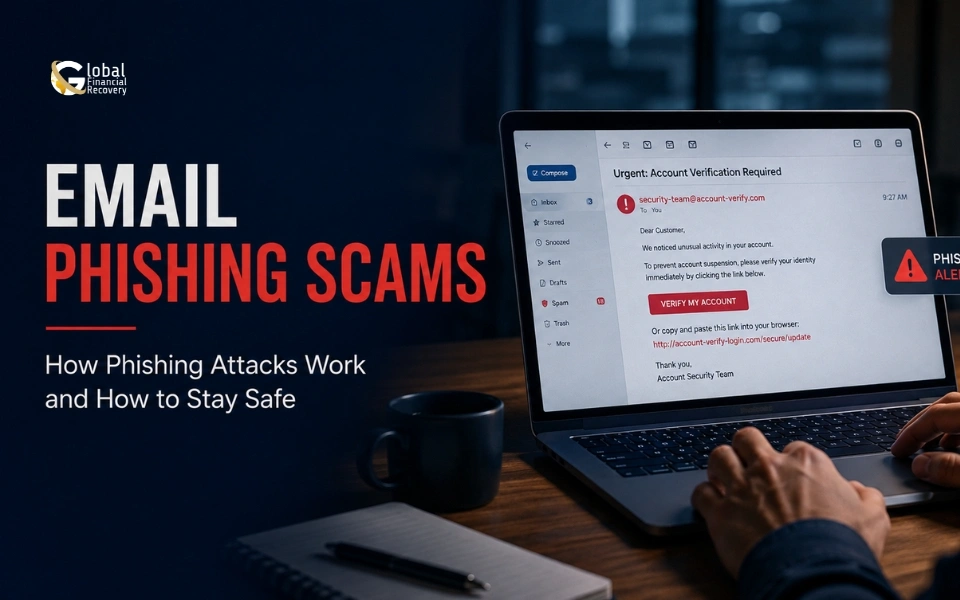
Phishing emails are meant to look like messages you can trust. For traders, that could mean an email that appears to come from an exchange, broker, or trading platform. It may warn you about a failed withdrawal, unusual account activity, or a problem with your login and ask you to take action. The message can seem harmless at first, but clicking the wrong link or sharing the requested details can give someone access to information they should never have.
This is one reason phishing continues to be a serious concern for anyone who manages money or financial accounts online. The FBI’s Internet Crime Complaint Center received 191,561 complaints involving phishing or spoofing in 2025, making it the most reported crime type in its annual report.
Phishing emails are also becoming harder to judge by appearance alone. A fake message can use the same logo as a real company, sound professionally written, and lead to a website that looks almost identical to the real one. For traders, this can create a much bigger problem when the account is connected to deposits, withdrawals, or cryptocurrency.
This guide explains how phishing emails target traders, the common warning signs to watch for, and some of the newer methods being used in phishing attacks. It also covers what to do after clicking a suspicious link and how to reduce the risk of losing access to your trading account or funds.
What Is an Email Phishing Scam?
An email phishing scam is a fake message designed to make a trader take an action that benefits the sender. Traders should also understand the importance of verifying cryptocurrency exchanges before entering account information or making transactions. The email could ask you to confirm a withdrawal, fix a login problem, or check unusual activity on your account.
The trick is usually in the link. Instead of taking you to the real trading platform, it may open a fake login page that looks almost identical. If the attack involves cryptocurrency, traders should also be aware of other threats such as fake crypto wallet scams.
Phishing emails can also be more convincing than they used to be. AI tools can help attackers create realistic messages with fewer obvious mistakes, but the basic method has not changed: make the email look trustworthy and get the trader to act before checking it.
For traders, that can have serious consequences. A compromised account may expose personal information, payment details, or access to funds and cryptocurrency. Knowing how these emails work makes it easier to slow down, check the message, and spot the warning signs before taking action.
Common Phishing Emails and the Warning Signs to Look For
Phishing emails targeting traders often try to match something that could realistically happen to a trading account. A message may mention a withdrawal, login attempt, account review, or event. That makes it easier to trust the email and act without checking it first.
|
Type of phishing email |
What the email may say |
Warning signs to look for |
|
Account security alert |
“We detected unusual activity. Verify your account now.” |
Urgent language, unfamiliar sender, or a login link you did not expect |
|
Withdrawal or payment alert |
“Your withdrawal is pending. Confirm your payment to continue.” |
Unexpected payment request, unfamiliar link, or pressure to act quickly |
|
Password reset request |
“Your password needs to be updated. Click here to continue.” |
You did not request a reset, the URL looks unusual, or the email asks for your current password |
|
Account verification email |
“Complete verification to keep your trading account active.” |
Requests for sensitive information, documents, payment details, or wallet information |
|
Fake trading opportunity |
“Get access to a special investment or trading offer.” |
Unrealistic claims, pressure to deposit funds, or links to an unfamiliar platform |
A few warning signs deserve extra attention. Check the sender's full email address, not just the name shown in the message. A fake email may use a name that looks correct while coming from an unrelated address.
Check the link before opening it. A website can look almost identical to the real trading platform while using a different domain. When in doubt, open the platform through its official website or app instead of using the email link.
Also be careful with emails that create pressure. Messages about locked accounts, pending withdrawals, or urgent security checks are often designed to make you act before you stop to verify the request.
Poor spelling and grammar can still be a warning sign, but they are not enough to decide whether an email is fake. Some phishing emails are carefully written and can look very convincing.
What Are the Latest Phishing Tactics Traders Should Watch For?
Phishing e-mails continue to get better in terms of the types of messages that traders expect to receive. An email can pretend to be a message from a brand or a legitimate broker, financial service, or exchange; it will not be an obvious fake. It may even be built around something that seems relevant, such as a withdrawal, login attempt, or account warning.
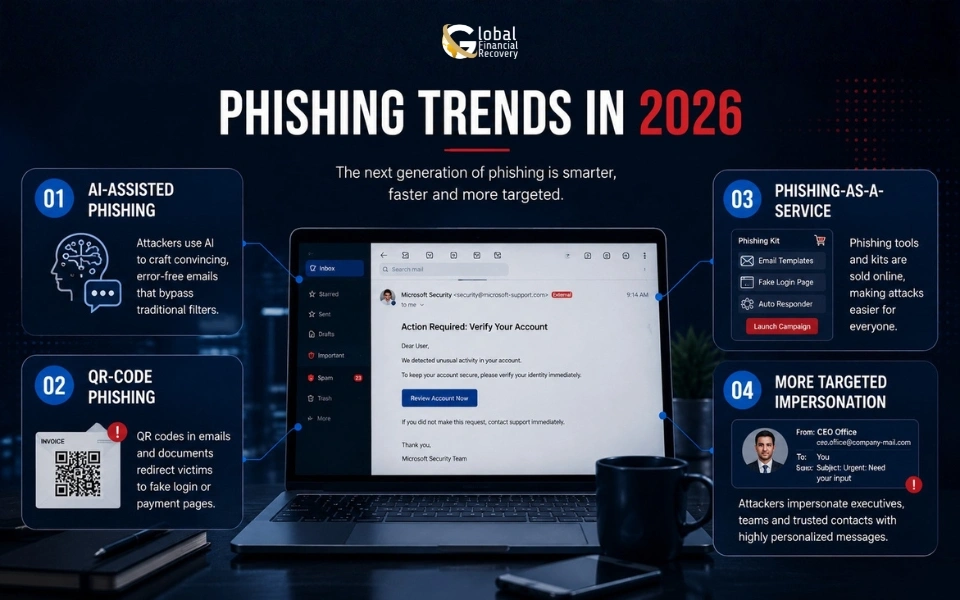
Here are some of the changes worth watching:
AI-Assisted Phishing
AI can help attackers write more natural emails and create messages that contain fewer of the spelling and grammar mistakes people often associate with phishing. This does not make every AI-written email convincing, but it can make some scams harder to spot at a glance.
QR-Code Phishing
Some phishing emails now use QR codes instead of clickable links. A message may ask a trader to scan a code to verify an account or complete a security check. The code can lead to a fake login or payment page.
Phishing-as-a-Service
Attackers do not always need to build their own phishing tools. Phishing-as-a-Service (PhaaS) provides ready-made phishing kits, fake login pages, and other tools that can be used to run these campaigns. This makes it easier for less experienced criminals to launch convincing attacks. Our guide to Phishing-as-a-Service (PhaaS) attacks explains this growing threat in more detail.
More Targeted Impersonation
Traders may receive emails pretending to come from an exchange, broker, wallet provider, or customer support team. The message may use information about a real service to make the request feel familiar.
The important thing is that a professional-looking email is not automatically a safe email. Before clicking a link or responding to a financial request, traders should check where the message came from and confirm the request through the company's official website or app.
How Phishing Emails Can Turn Into Financial Loss
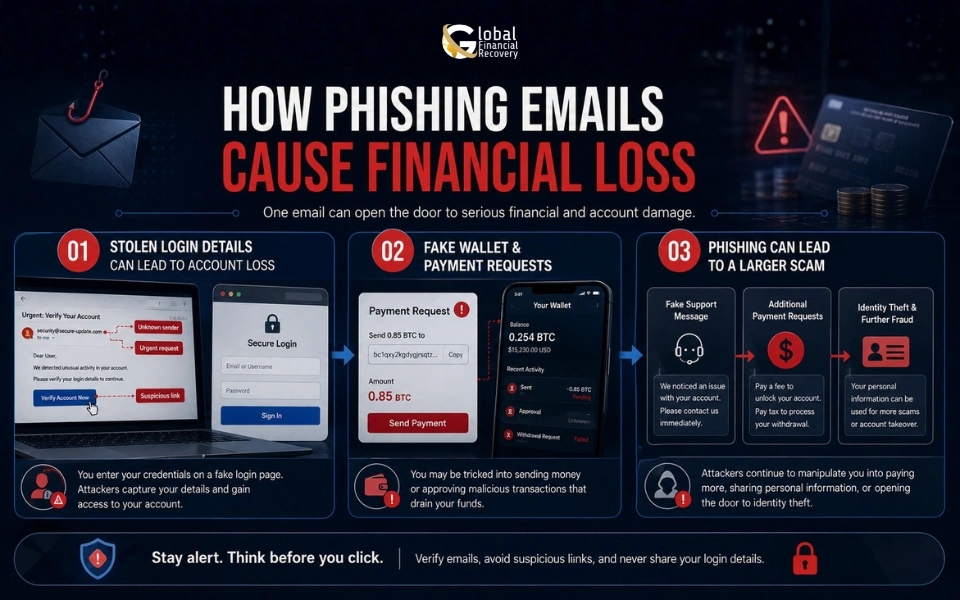
A phishing email does not always ask a trader to send money directly. In many cases, it starts by trying to gain access to the information that protects a trading account.
-
Stolen Login Details Can Lead to Account Loss
A fake exchange or broker email may ask a trader to verify a withdrawal, fix a login issue, or confirm unusual activity. The link can lead to a fake login page that looks almost identical to the real platform.
Once the trader enters their username and password, the attacker may use those details to access the real account. This can lead to unauthorized trades, changes to account settings, or attempts to withdraw funds.
-
Fake Wallet and Payment Requests
Some phishing emails go beyond account credentials. A trader may be asked to connect a cryptocurrency wallet, approve a transaction, confirm a payment, or provide card details.
The page may look legitimate, but the information or authorization can go directly to the attacker. With cryptocurrency, this can be especially serious because confirmed transactions are generally difficult to reverse.
-
Phishing Can Lead to a Larger Scam
A phishing email can also be just the beginning. After getting account information, an attacker may contact the trader again while pretending to be customer support, a security team, or another trusted party.
This type of impersonation can turn an initial phishing attempt into a longer scam. Our guide on imposter scams in crypto explains how these fake identities are used to gain trust and target cryptocurrency users.
Then, in “Phishing Trends in 2025 and 2026,” we can introduce Phishing-as-a-Service (PhaaS) naturally alongside AI-assisted phishing and QR-code phishing and link to the dedicated PhaaS article there.
What Should You Do After Clicking a Phishing Link?
Clicking a suspicious link does not always mean that your trading account has been compromised, but it is important to act quickly.
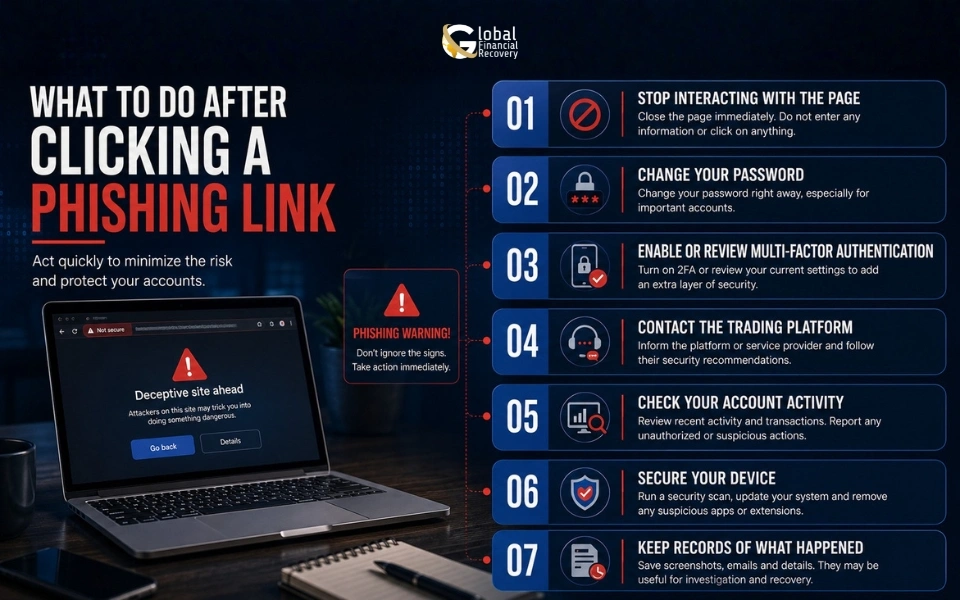
- Stop interacting with the page
Do not enter your password, payment information, wallet details, or verification codes. Close the page if you have not submitted any information.
- Change your password
When you enter your login details on a suspicious website, change the password through the trading platform's official website or app. Avoid using the link from the email.
- Enable or review multi-factor authentication
MFA can provide another layer of protection for your trading accounts. Check that the security settings on the account have not been changed.
- Contact the trading platform
Use the company's official website or app to contact support. Explain what happened and ask them to review the account for unusual activity.
- Check your account activity
Look for unfamiliar logins, withdrawals, trades, payment changes, or other activity that you do not recognize.
- Secure your device
Run a security check on the device, especially when the link downloaded a file or opened a suspicious page.
- Keep records of what happened
Save the email, sender information, website address, screenshots, transaction records, and other relevant details. These records can help when reporting the incident or investigating a financial loss.
How to Improve Your Email Security
A few simple habits can reduce the risk of falling for a phishing email targeting your trading account.
- Avoid clicking login links in unexpected emails. Open the trading platform through its official website or app instead.
- Check the sender's full email address rather than relying on the displayed name.
- Be careful with messages that create pressure around withdrawals, account closures, or security alerts.
- Never share passwords, authentication codes, or wallet recovery phrases by email.
- Use strong, unique passwords for trading accounts.
- Turn on multi-factor authentication where available.
- Keep your computer, phone, browser, and security software updated.
- Review account activity regularly and report anything you do not recognize.
Most importantly, take a moment to verify unexpected requests before acting. A few seconds of checking can prevent a phishing email from turning into a much larger financial problem.
What Traders Should Know Before Clicking
Phishing emails can look like ordinary messages, especially when they appear to come from a trading platform, broker, or cryptocurrency exchange. A familiar logo or urgent account alert does not mean the message is genuine.
Taking a moment to check the sender, link, and request can help prevent a simple email from turning into a serious financial loss. Acting quickly also matters when account details or financial information have already been shared.
When a phishing incident has led to a financial loss, it helps to start with the facts. Global Financial Recovery can review the available records, examine transaction details, and help you understand what happened and what information may be useful for further investigation.
Request Your Free Case Evaluation to discuss the circumstances of the loss and understand what can be examined next.
FAQs (Frequently Asked Questions)
Yes. A phishing email can lead to cryptocurrency loss by stealing exchange login details, wallet information, or other sensitive credentials. Some emails also direct traders to fake websites designed to collect information or authorize transactions.
Yes. Some phishing emails contain malicious attachments or links that can download malware onto a device. Avoid opening unexpected attachments and run a security check when a suspicious email has already been opened or downloaded.
Clicking a link does not automatically mean your trading account was compromised. However, the page could have attempted to collect information or download harmful software. Close the page, avoid entering any details, and check your device and account for anything unusual.
Do not rely only on the sender name or the appearance of the email. Check the full email address and contact the exchange through its official website or app. Be especially cautious when a message asks for your password, recovery phrase, authentication code, or payment.
They may be able to, particularly when the same password is used elsewhere or additional account security has been compromised. Change the password through the official platform, enable multi-factor authentication, and review recent account activity when your credentials have been exposed.
Book A Free Consultation
Recent Posts



From case evaluation to financial investigation, Global Financial Recovery provides transparent guidance to help you understand your case and explore your options.