
What Is Phishing-as-a-Service? How These Attacks Steal Money & Crypto
- Miscellaneous
- Updated On: June 10, 2026
Table of Contents
Have you ever clicked on an email or message that looked real but wasn’t?
You’re not alone. That’s exactly how phishing as a service, or PhaaS,works.
In today’s digital world, scams are easier to run than ever. Cybercriminals don’t need tech skills anymore. They can simply buy phishing tools online, just like shopping. These tools come with fake login pages, email templates, and even customer support. It's a full-service to help them steal your money, data, or crypto.
This new scam model is called Phishing-as-a-Service. It’s part of the growing cybercrime-as-a-service market on the dark web. In just the first two months of 2025, over 1 million phishing-as-a-service (PhaaS) attacks were detected globally. And it’s becoming a huge problem.
PhaaS platforms sell everything a scammer needs. Many even offer monthly plans or pay-per-attack models. Attackers use these to run email phishing, crypto phishing, and fake job offers. Real people fall for it every day.
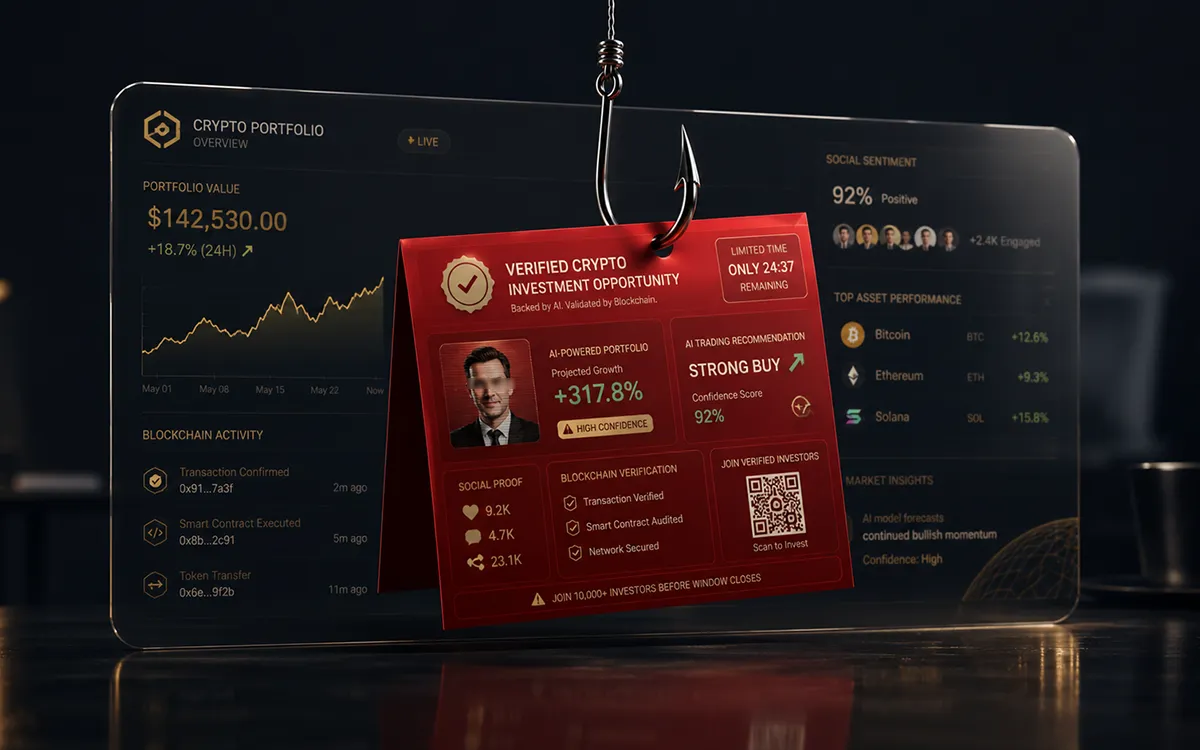
It’s not just tech companies at risk. Banks, schools, hospitals, and even small businesses are targets now. And if you use email, social media, or crypto platforms, you could be a victim too. Many phishing campaigns now target cryptocurrency holders through fake wallet interfaces and exchange login pages, similar to thesefake crypto wallet scams.
Moreover, the impact is massive, people lose money, businesses suffer data breaches, and trust in digital communication breaks down. These attacks also damage reputations and lead to legal risks.
In this blog, we will learn how important it is to understand phishing as a service, how it works, and how to spot it. Once you understand it, you can start protecting yourself and others.
What is Phishing-as-a-Service (PhaaS)?
Can you imagine someone running a scam like a business? That’s exactly what phishing-as-a-service is.
Phishing-as-a-Service (PhaaS) is when cybercriminals create and sell phishing services to others who want to run scams. It works a lot like a business; you pay to use tools that help trick people into giving away personal info like passwords, credit card numbers, or login details.
This phishing business model is part of a bigger trend called hacking-as-a-service, where online crime is packaged and sold just like regular software. The people who build these phishing tools often sell access on the cybercriminal marketplace, usually found on the dark web. Some even offer customer support, updates, and pricing plans, just like any other subscription service.
It works just like a subscription. A scammer pays a fee and gets access to a full phishing toolkit, including guides on how to steal passwords, personal info, or crypto wallets.
With PhaaS, even someone who knows very little about hacking can launch a full-scale attack using fake websites, cloned login pages, or realistic scam emails. It’s fast, cheap, and, sadly, very effective.
One growing type of phishing under PhaaS is quishing, which uses QR codes to trick people. You scan a code thinking it’s from a trusted source, but it takes you to a fake website designed to steal your info.
In short, PhaaS makes phishing easier, cheaper, and more dangerous than ever before. And that’s why it’s becoming such a big problem.
How do scammers use Phishing-as-a-Service (PhaaS) platforms?
It’s a lot like using the regular software, but here, the goal is to scam people. These platforms make it easy for anyone, even with no tech skills, to launch phishing attacks.
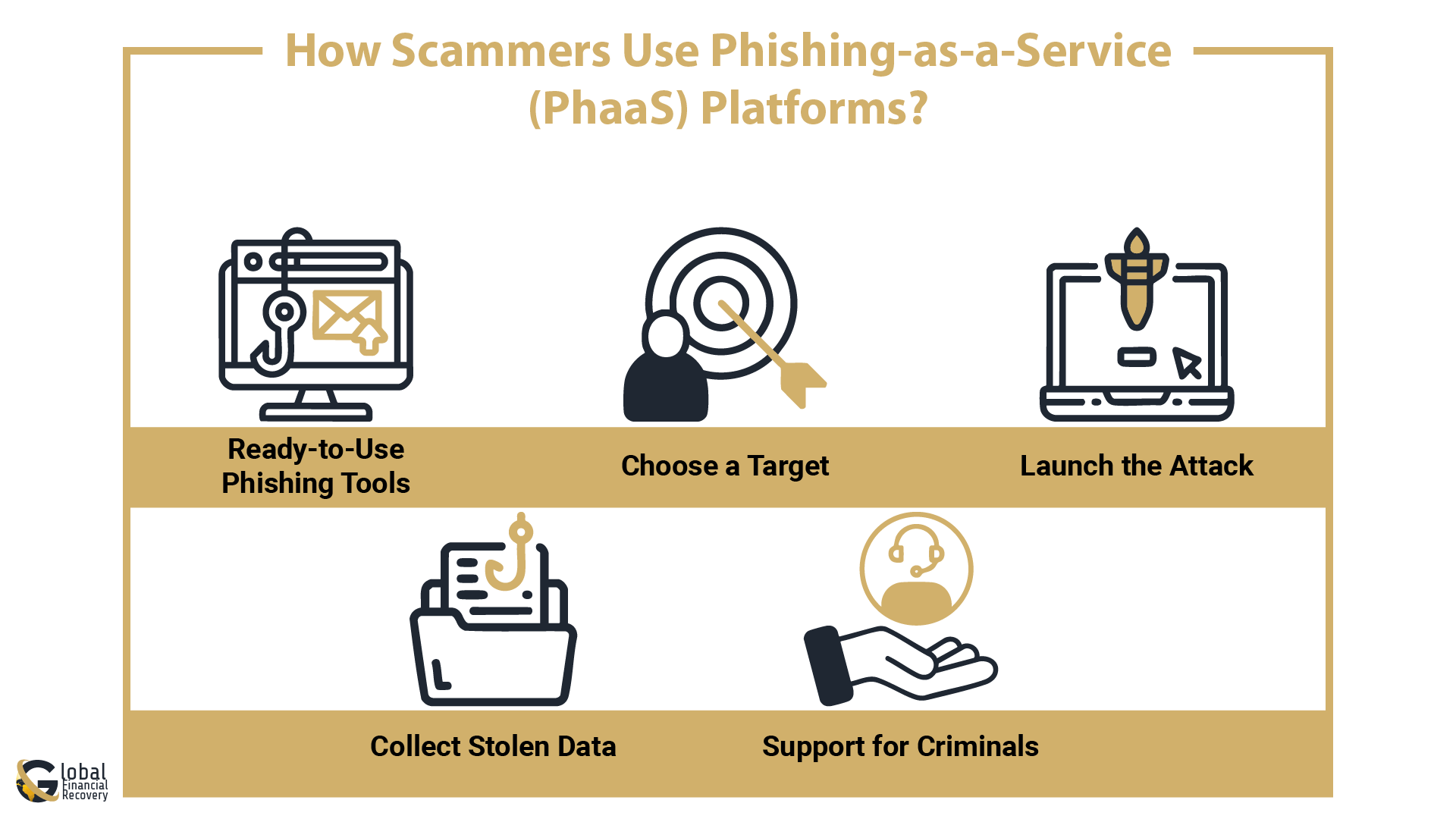
Here’s how it usually works:
- Ready-to-Use Phishing Tools
Scammers buy or subscribe to a phishing software platform. It comes with built-in phishing kits, fake login pages, and tools to send emails or text messages. Many of these platforms look like real apps, with dashboards and settings. - Choose a Target
Attackers pick who they want to scam. It could be a crypto user, a business employee, or a bank customer. They use email phishing or messages that look real but trick people into clicking. - Launch the Attack
The platform helps send out large volumes of phishing emails with just a few clicks. These attacks are fast and automated, thanks to phishing automation tools. - Collect Stolen Data
Victims are tricked into giving up their passwords, crypto keys, or account details. This info is stored by the attacker or sold online. It’s often used to steal money or access more accounts. - Support for Criminals
Many phishing services offer updates, guides, and even 24/7 support, just like normal software companies. This makes phishing even easier to scale.
Because of these tools, phishing is no longer just for skilled hackers. Anyone can buy access to a phishing-as-a-service platform and start attacking within minutes. This is why phishing protection software, anti-phishing services, and strong phishing solutions are more important than ever.
These fake login portals often resemble investment dashboards or crypto trading platforms designed to steal user credentials. Users should learn how to identifyfake investment dashboards before entering sensitive information. If you're online, especially in crypto or finance, it’s key to understand how to protect against phishing attacks, because the tools scammers use are only getting better.
7 Types of Phishing-as-a-Service Tools
PhaaS operators don’t just offer fake login pages, they provide a full suite of tools to automate and scale phishing attacks. Many of these tools are plug-and-play. meaning anyone can use them, even with no coding skills. These kits are getting more advanced, bypassing security layers and tricking even cautious users.
Here's a look at the most common types of tools used in phishing services:
|
PhaaS Tools Types |
What It Does |
Why It Matters |
|
Phishing Kits |
Pre-built fake websites that mimic real ones like Gmail, Coinbase, or banks. |
Used to steal login credentials and personal info. |
|
Email Spoofers |
Send fake emails that look like they’re from trusted companies. |
Often used in credential theft attacks. |
|
Phishing Automation Tools |
Automate mass delivery of phishing emails or texts to thousands of users. |
Scales attacks quickly with little effort. |
|
Quishing Generators |
Create phishing QR codes that link to fake sites. |
Harder to detect than traditional phishing emails. |
|
Credential Harvesters |
Tools that collect and organize stolen usernames and passwords. |
Streamlines the theft process for attackers. |
|
Bypass Tools |
Designed to get past 2FA and security filters in phishing protection software. |
Makes detection and blocking much harder. |
|
Payload Builders |
Used to create malware-laced attachments or links. |
Can silently install spyware or steal browser data. |
Some of these tools even come with dashboards and support, just like legal software products. They’re updated often and sometimes bundled with phishing software subscriptions, making them even more dangerous.
Some attackers also operate through social media and trading communities using tactics commonly seen infake investment group scams.
That’s why modern phishing protection software and anti-phishing services are now focused on detecting these kits before they cause damage. If your business landscape includes customer data, then using reliable phishing solutions is not just wise but an absolute necessity.
6 Common Attack Vectors Used in PhaaS
Phishing as a Service (PhaaS) platforms offer cybercriminals ready-to-use attack kits that work through multiple entry points.
These are the most common ways scammers try to get in:
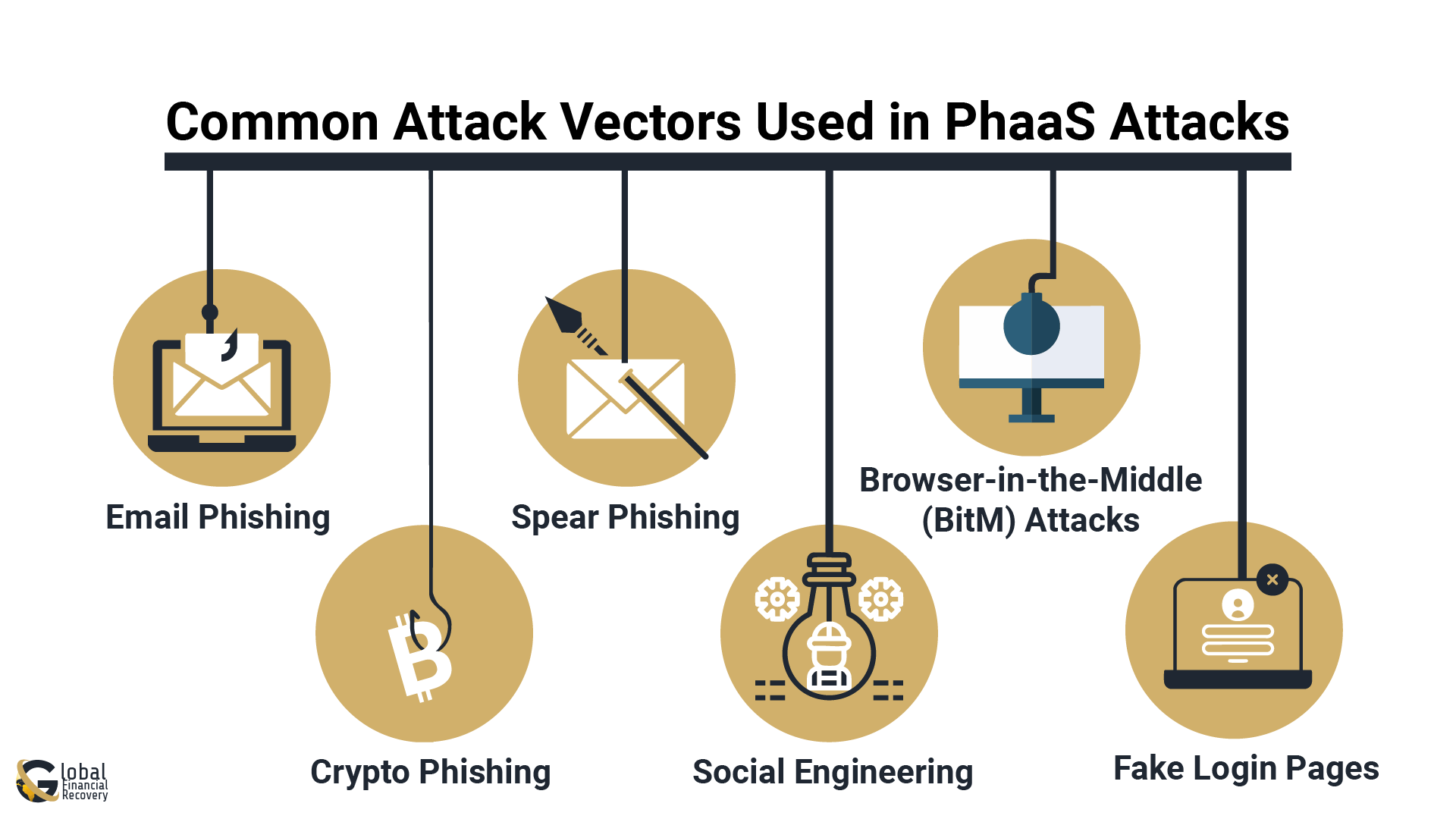
- Email Phishing
The most widely used method. Scammers send fake emails pretending to be from trusted companies, banks, tech firms, or even Microsoft. The goal is to trick you into clicking a link or entering your login details.
[Example: “Your Microsoft account has been compromised. Click here to verify.”] - Crypto Phishing
With crypto’s rise, scammers now target digital wallet users. Fake airdrop offers, investment opportunities, or even job offers in the crypto space are used to steal funds or seed phrases. - Spear Phishing
Unlike general spam, this is highly targeted. Attackers do research and craft custom messages that feel personal, using names, job titles, or specific info to build trust. - Social Engineering
These tactics rely on human emotions like fear, urgency, or curiosity. Scammers may impersonate your boss, bank, or even customer support to gain access. - Browser-in-the-Middle (BitM) Attacks
A more advanced PhaaS tool that mimics a real website in real time. When you enter your info, it gets passed directly to the real site, making the scam hard to detect. - Fake Login Pages
PhaaS kits can generate near-identical copies of real login pages (like Microsoft or Google). Once you log in, your data is instantly captured.
These methods show just how far phishing-as-a-service has evolved from simple email scams to high-level attacks targeting crypto platforms and big-name companies.
6 Red Flags of PhaaS-Based Phishing Attempts
Phishing-as-a-Service (PhaaS) scams are getting better at looking real, but they still leave clues. Knowing what to look for can help you avoid falling for these traps and improve your protection against phishing attacks.
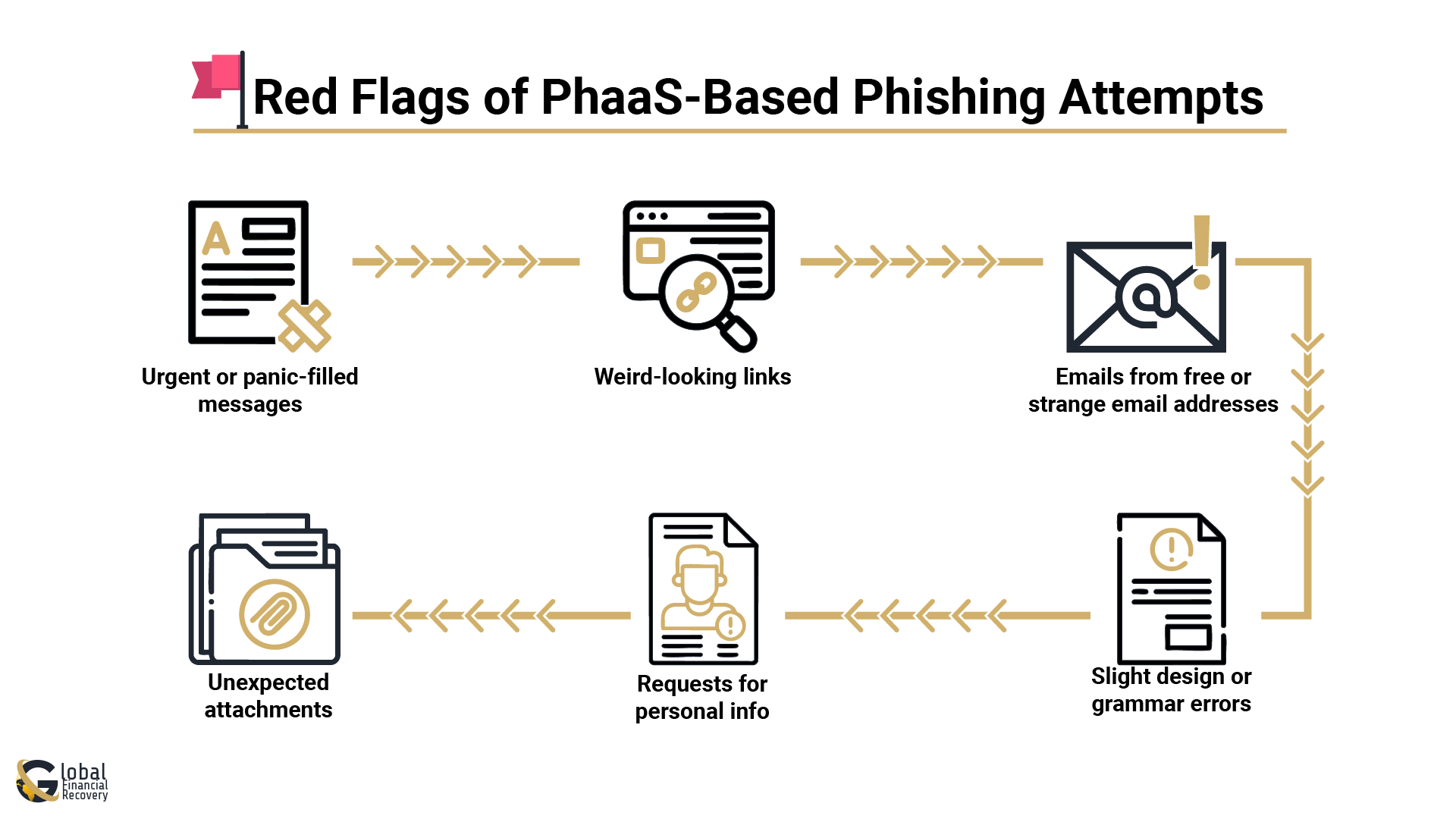
Here are the most common red flags to watch for:
- Urgent or panic-filled messages
If an email says things like “Act now or lose access” or “Your account is locked,” that’s a classic phishing move. Scammers try to scare you into clicking fast, leading to potential data theft or financial loss. - Weird-looking links
Always hover over links before clicking. If the URL looks off or doesn’t match the official site, don’t click. Fake login pages often look real but steal your info. - Emails from free or strange email addresses
Real companies don’t contact you using Gmail, Yahoo, or strange-looking domains. If something feels off, it probably is, as they are harder to trace and can easily be faked. - Unexpected attachments
Be extra careful with files like .zip, .exe, or .pdf; these can contain hidden phishing software designed to infect your device. - Requests for personal info
No legit company will ask for your password, seed phrase, or private wallet keys over email. If they do, it’s a scam, and responding could lead to stolen accounts or funds. - Slight design or grammar errors
Many phishing messages look polished, but if you notice typos, awkward language, or odd formatting, trust your gut and double-check.
Tip: Use anti-phishing services and phishing protection software to catch dangerous emails before they land in your inbox.
The more you learn how to protect against phishing attacks, the easier it becomes to spot these red flags and stay safe, especially as phishing services keep evolving.
6 Common Victims, Targets, and Industries in PhaaS Attacks
Who gets targeted by Phishing-as-a-Service (PhaaS) attacks?
The truth is, anyone can fall victim. But certain people and industries are hit more often, especially those with access to money, data, or security gaps.
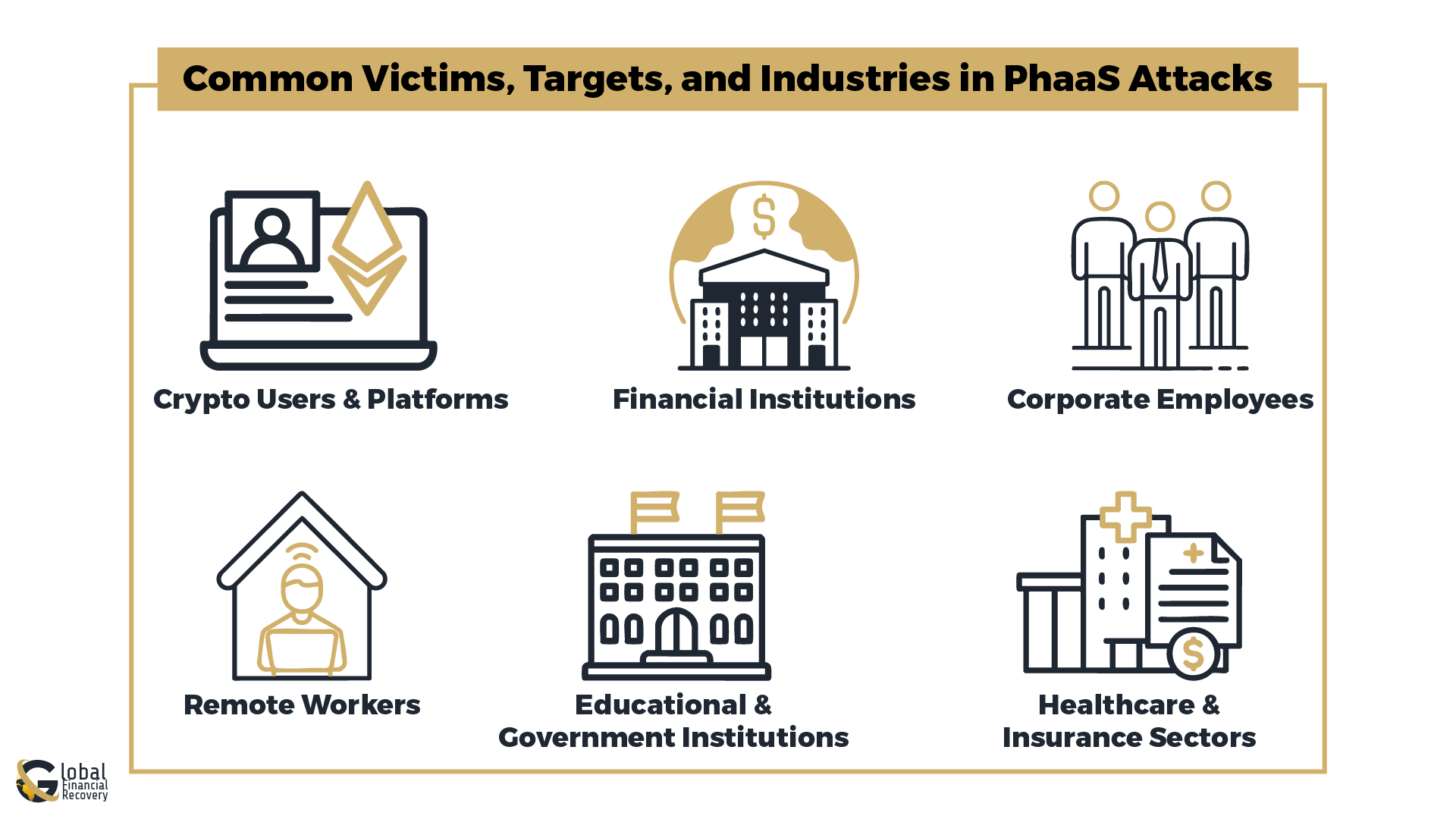
1. Crypto Users and Platforms
Scammers love crypto because it’s fast, untraceable, and unregulated. They target both individuals and companies in the crypto space, using fake investment offers, wallet update alerts, or airdrop scams.
[Phishing attacks on crypto are among the fastest-growing fraud trends online.]
2. Financial Institutions
Banks, payment apps, and fintech firms are major targets. These scams often mimic legitimate login pages or transaction alerts. Once someone clicks, scammers can drain accounts or steal sensitive data.
[Phishing in finance often involves spoofed emails from “support” asking for urgent action.]
3. Corporate Employees
Phishing emails aimed at staff members (especially executives or admins) try to trick them into sharing credentials or wiring money. These attacks are usually very personalized, called spear phishing.
[Corporate phishing attacks can lead to serious data breaches or ransomware incidents.]
4. Remote Workers
Working from home has opened new doors for scammers. Without strong internal IT protections, remote workers are more easily tricked through fake login pages or malware-laced attachments.
[Remote work security risks have made employees more vulnerable to phishing software tools.]
5. Educational and Government Institutions
These organizations often manage large databases and sensitive files. PhaaS attackers use fake document shares, meeting invites, or IT support messages to gain access.
[Email phishing is commonly used to trick faculty or staff into giving up login info.]
6. Healthcare and Insurance Sectors
These industries hold valuable patient data and payment information. Scammers may pretend to be HR reps or IT teams to access internal systems or customer records.
How to Protect Against Phishing-as-a-Service Attacks?
PhaaS attacks are becoming more and more of a threat, yet simple methods exist for protecting yourself and your business.
- Anti-phishing services, such as reputable phishing protection software, should be used to fight phishing. These can prevent malicious websites and emails from ever reaching your doorstep. They can analyze threats at a very early stage to prevent potential damage.
- Another essential step is to enable two-factor authentication (2FA) so that the attackers will still have a little extra time cracking into the accounts even if they get your password.
- An additional important step in this chain is to impose a policy of zero trust. This means never trusting anyone by definition, whether they are inside or outside the network. All requests for accessing any information should go through a verification process to ascertain if he is supposed to get it.
- Secure browsing habits would be next. Always make sure that the visited website is using HTTPS and avoid clicking on suspicious links and attachments. This really decreases the risk of you falling into a phishing attack.
- The last thing is to train your employees on phishing awareness. Regular phishing awareness training equips them to identify suspicious emails and links, thus lessening the chances of an attack being successful.
Following these simple steps should help you build a shield in front of PhaaS attacks.
Why Phishing-as-a-Service Is Growing Rapidly
Phishing-as-a-service is one of the fastest-growing forms of cybercrime because it enables cybercriminals to carry out attacks without requiring any high-level knowledge about technicalities. Phishing toolkits, scam subscription services, automatic credential-stealing software, and even fake login pages are easily available on the dark web.
Phishing scams can be aimed at cryptocurrency owners, online banking clients, and even investors who will be tricked into believing in the authenticity of fake websites and emails.
In addition to these factors, phishing scams have evolved over time with the development of artificial intelligence technology. AI has enabled scammers to design phishing emails that are harder to identify.
Moreover, the availability of anonymous payment methods and secure communication channels is making phishing scams all the more prevalent.
Steps to Take After a Phishing Scam
If you think you may have fallen for a phishing scam, try not to panic. Taking quick action can help protect your accounts and reduce further damage.
- Change your passwords immediately, especially for your email, banking, crypto, or investment accounts.
- Turn on two-factor authentication (2FA) wherever possible for extra security.
- Contact your bank, crypto exchange, or wallet provider if you think your financial information or digital assets were exposed.
- Save any evidence related to the scam, such as emails, screenshots, wallet addresses, transaction details, or chat messages.
- Report the incident to your local cybercrime or fraud reporting authority.
- Keep an eye on your accounts for unusual activity or unauthorized transactions.
- If money or cryptocurrency was stolen, professional investigation or recovery support may help track suspicious transactions.
- Be careful of “recovery experts” or people promising guaranteed refunds after the scam, especially if they ask for upfront payments or personal information.
Staying Protected Against Modern Phishing Threats
Phishing-as-a-service continues to evolve as cybercriminals develop more convincing and accessible scam tools. From fake login pages and impersonation websites to cryptocurrency wallet theft and investment fraud, these attacks can result in serious financial and personal consequences.
Staying cautious when opening emails, clicking links, or sharing sensitive information is one of the most effective ways to reduce the risk of phishing attacks. Verifying website URLs, avoiding suspicious downloads, and enabling additional account security measures can also help protect against unauthorized access.
For individuals who have experienced financial loss through phishing or online fraud, early reporting and proper documentation may improve the chances of identifying suspicious transactions and limiting further damage.
FAQs (Frequently Asked Questions)
Phishing-as-a-service (PhaaS) is a cybercrime model where attackers sell or share phishing tools, fake login pages, email templates, and scam infrastructure with other criminals. These services make it easier for even non-technical scammers to launch phishing campaigns targeting personal accounts, banking information, and cryptocurrency wallets.
Phishing kits are pre-built scam packages designed to imitate trusted websites, emails, or payment portals. They collect login credentials, financial information, or wallet recovery phrases entered by victims. Many phishing kits also include automated dashboards that allow attackers to monitor stolen data in real time.
Yes. Many phishing scams specifically target cryptocurrency users through fake wallet apps, exchange login pages, investment dashboards, and fraudulent recovery requests. If a victim shares their private keys, seed phrase, or login credentials, attackers can quickly transfer the funds to external wallets.
Common warning signs include urgent messages, suspicious links, spelling mistakes, unusual sender addresses, fake login pages, and requests for passwords or recovery phrases. Users should also be cautious of websites that imitate trusted brands but use slightly altered domain names or unfamiliar URLs.
If you suspect a phishing attack, change your passwords immediately, enable two-factor authentication, disconnect compromised wallets or devices, and contact your bank or exchange provider if financial accounts were affected. It is also important to preserve screenshots, emails, wallet addresses, and transaction records for reporting and investigation purposes.
Book A Free Consultation
Recent Posts

From case evaluation to financial investigation, Global Financial Recovery provides transparent guidance to help you understand your case and explore your options.